


Exploring INFINITI’s Android Auto and Apple CarPlay Features
Learn How INFINITI Keeps You Informed and Entertained Without Distraction on the Road
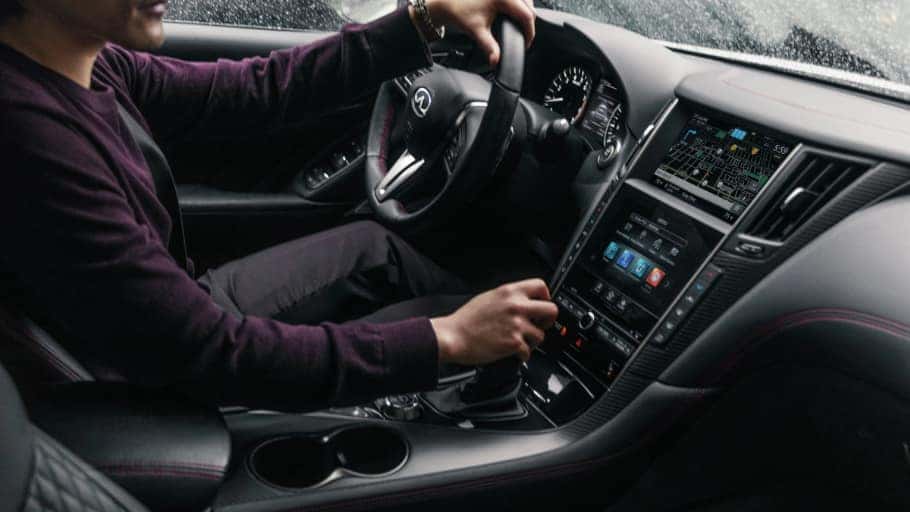
As technology continues to revolutionize the driving experience, automotive enthusiasts are constantly seeking the latest advancements to enhance their time on the road. One such innovation comes in the form of INFINITI’s integration of Android Auto™ and Apple CarPlay® into their vehicles. With these platforms seamlessly syncing smartphones with car infotainment systems, drivers can access a myriad of features and applications, all while maintaining focus on the road.
Join us here at Ramsey INFINITI as we dive into the world of INFINITI Android Auto™ and Apple CarPlay® features and explore the benefits that these technologies bring to modern driving.
A Safer Way to Stay Connected
Having access to useful content is always a plus when you’re on the road. Android Auto and Apple CarPlay integration makes it easy to access your favorite on-the-go apps on the compatible car display while keeping your focus on driving. Larger touch targets, a simplified interface, and voice commands minimize distraction so you can remain focused and prioritize your safety.
When you’re getting ready to take your morning commute to Mahwah, simply connect your phone via USB to your compatible INFINITI vehicle and all of your favorite content will appear on your INFINITI InTouch display.
INFINITI Android Auto Features
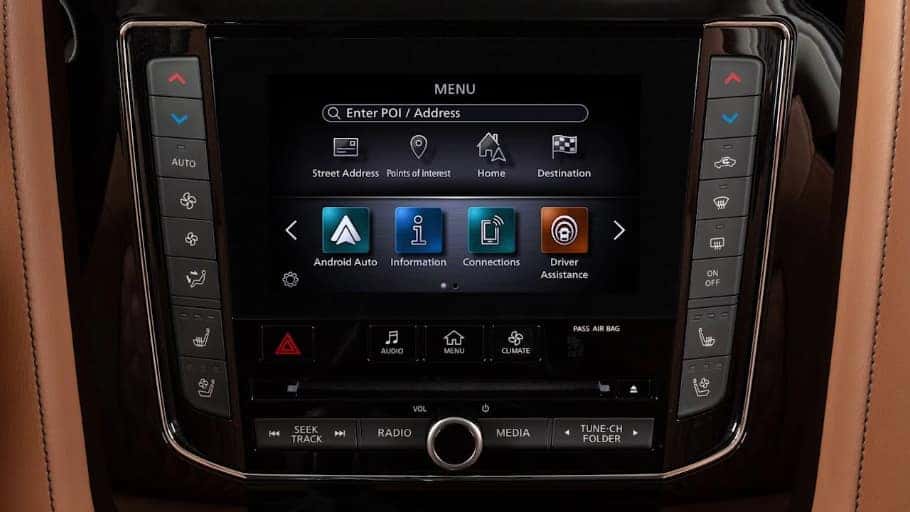
Android Auto compatibility automatically provides you with helpful information like suggested destinations, upcoming appointments, and weather conditions. Everything you need is organized into simple cards that appear on the screen of your INFINITI when they are needed.
Google Maps helps you get where you’re going with voice-guided navigation, live traffic information, lane guidance, and more. Stay entertained with Google Play Music which gives you access to 40 million songs allowing you to stream music for everyone to enjoy. Your favorite media, messaging apps, and more are all at your fingertips once you connect your phone to your INFINITI.
INFINITI Apple CarPlay Features
At Ramsey INFINITI we know that a lot of our customers are Apple users as well and INFINITI’s Apple CarPlay delivers all of the best features from your iPhone through the InTouch display as well.
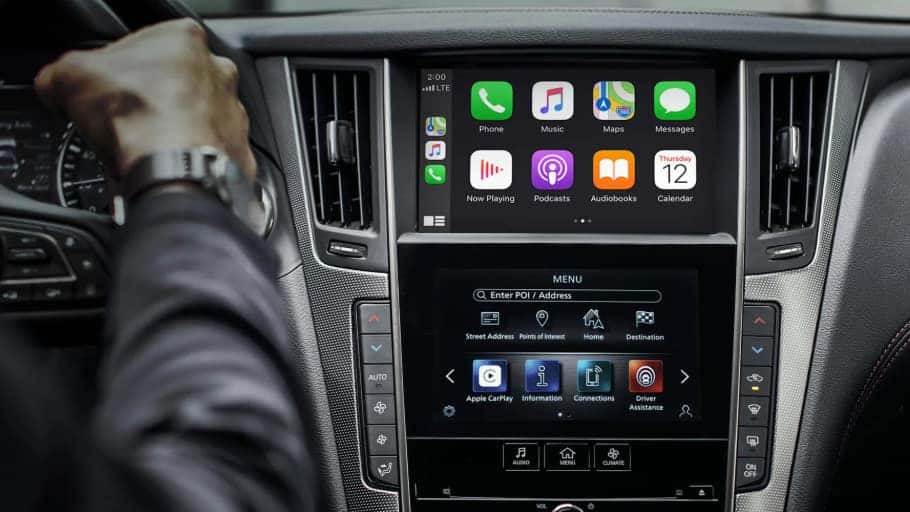
Apple Maps can predict your destination through calendars, contacts, and more. If you are in an unfamiliar area, the Nearby feature shows you gas stations, parking, restaurants, and more with just a tap. Need to let the kids know you’ll be a little late picking them up from school in Ridgewood? Use Siri™ to read, reply, send text messages, and make calls without ever having to look at the screen while driving. Stay entertained during every drive with access to Apple Music, audio apps, and more.
INFINITI Android Auto FAQs
- What are the compatibility requirements for Android Auto? Android Auto requires a compatible INFINITI vehicle, a compatible smartphone (Android 6.0 or later), and a USB cord.
- How do you set up Android Auto for the first time? Turn on your vehicle and connect your phone to the USB cable. Instructions will appear on your phone as well as the vehicle’s touch screen. Once you accept the terms and safety conditions message, you’ll be all set to enjoy Android Auto
- How do you get directions with Android Auto? All you need to do is open the app launcher to Google Maps, search your destination, and you’ll be on your way.
- How to send and receive calls and text messages? Use the app launcher to open the Phone app to reach a contact name or dial a number. You can send text messages with voice commands by opening the Messages app and selecting a specific contact.
INFINITI Apple CarPlay FAQs
- How do you link a smartphone with wireless Apple CarPlay? If the vehicle is equipped with Wireless Apple CarPlay, you’ll need to pair your iPhone to the vehicle through Bluetooth. Once it’s paired a notification will appear asking if you would like to use CarPlay wirelessly. Once you’ve made the initial connection your mobile device should connect seamlessly with your infotainment system as you enter the vehicle.
- While connected to USB1, will my iPhone charge? Your iPhone will charge simultaneously as you use Apple CarPlay, but it might be slower than usual depending on how many apps are running at once.
- Does my phone need to be unlocked to access CarPlay? The first time you connect your iPhone to CarPlay it will ask for permission to work while your phone is locked, you can also change this preference anytime in your settings.
- Can you still stream Bluetooth audio from your iPhone? Bluetooth audio cannot be streamed from a device running Apple CarPlay. If you choose to use the wired connection, you can use another device paired with the vehicle to stream audio.
Learn More About INFINITI Android Auto and Apple CarPlay in Ramsey, NJ
If you are interested in owning or leasing an INFINITI vehicle equipped with Android Auto or Apple CarPlay integration visit us at Ramsey INFINITI, located near Wyckoff. We have an extensive selection of vehicles to choose from in our new INFINITI inventory, so you are sure to find something that fits all of your needs. Our expert staff can answer any questions you have about INFINITI InTouch technology, INFINITI lease deals, and more.
0 comment(s) so far on Exploring INFINITI’s Android Auto and Apple CarPlay Features